A PCB Cutting Machine is the equipment that turns a populated panel into individual boards without cracking solder joints, tearing copper, or slowing the SMT line. In most factories, the separation step looks simple from a distance: a blade passes through a score line or a router follows an outline. Up close, every parameter—blade sharpness, guide rail alignment, feed speed, panel support, and dust extraction—decides whether the finished board passes inspection or becomes rework. This guide explains how to choose the right cutting method, how to keep the cutting edge predictable, and how to diagnose the problems that appear when board separation drifts out of control.
Abstract
Board separation is a quality gate, not a finishing formality. The choice between V-cut scoring, saw blade cutting, and routing changes the stress profile, edge quality, and maintenance rhythm of the entire line. This article connects cutting method selection with blade wear management, fixture design, dust control, and everyday troubleshooting. It is written for process engineers, SMT supervisors, and equipment buyers who need predictable separation rather than a machine that merely cuts.
Table of Contents
- Why Board Separation Decides Final Board Quality
- Cutting Methods: V-Cut, Saw Blade, and Router Compared
- Selection Checklist Before Buying a Cutting Machine
- Blade Wear, Edge Quality, and Maintenance Windows
- Fixture Design, Dust Extraction, and Stress Control
- Troubleshooting Common Cutting Problems
- Frequently Asked Questions
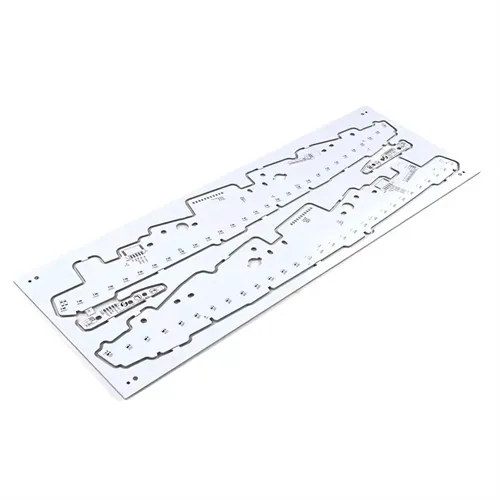
Why Board Separation Decides Final Board Quality
Depaneling sits between assembly and final test. A board that has survived reflow can still fail because separation introduced a hairline crack near a pad, delaminated a corner, or left conductive burrs across a score line. The mechanical event is brief, but the consequences are permanent.
A well-controlled cutting process protects three things at once. First, it protects component joints from bending stress. Second, it protects the laminate and copper interface from tearing. Third, it protects throughput by avoiding downstream inspection, touch-up, and scrap. When any of these three begins to slip, the root cause is usually found in the cutting method, the tool condition, or the fixture—not in the operator.
Many teams discover this only after a customer complaint traces back to a rough board edge. The correction is rarely a single adjustment. It is a system: the right machine for the board design, a blade replacement rule tied to measured wear, and a fixture that supports the panel close to the cut line.
Where separation risk actually comes from
Risk enters at the interface between tool and material. A dull edge pushes material instead of shearing it. An unsupported panel flexes under load. A misaligned guide rail shifts the groove away from the intended path. Dust left on a sensor or a rail turns a precise movement into a drifting one. Each of these is visible before scrap appears, provided the process is inspected with the right measurements.
Cutting Methods: V-Cut, Saw Blade, and Router Compared
No single method dominates every board. The practical decision comes down to outline geometry, board thickness, component clearance, and the acceptable level of mechanical stress.
| Cutting method | V-cut scoring | Saw blade cutting | Router cutting |
| Typical precision | Around ±0.1 mm | Stable for straight cuts | Around ±0.05 mm |
| Best board profile | Long straight lines, rigid FR-4 | Thick or large panels | Curved or irregular outlines |
| Mechanical stress | Medium to higher | Medium | Low to medium |
| Edge condition | Depends on score depth and blade wear | Burr risk if parameters drift | Smooth when bit and feed are matched |
| Typical limitation | Straight cuts only; components must stay clear of the score | Not ideal for curved shapes | Dust and bit wear require management |
V-cut scoring runs a pair of angled blades along pre-machined grooves and leaves a controlled residual thickness. It is fast and mechanically simple, which makes it common in high-volume consumer electronics and lighting products. The limitation is geometric: the method wants straight lines and enough clearance around the score line. Boards with edge-mounted connectors or dense placement near the break line are poor candidates.
Saw blade cutting uses a circular blade to separate panels along straight paths. It handles thicker laminates and larger panels at high throughput, but it also introduces more mechanical stress than routing and is not suited to curved outlines. When feed rate, blade height, and panel support are not kept in balance, burrs form quickly.
Router cutting follows a programmed path with a high-speed spindle, which allows L-shapes, U-shapes, arcs, and mixed outlines on the same panel. It is the most flexible option for complex assemblies, and the lower cutting stress protects fine-pitch components and fragile joints. The trade-offs are dust generation and bit wear, both of which are manageable with extraction and a replacement schedule.
Matching the method to the product
- Choose V-cut scoring when the panel uses long straight break lines, rigid FR-4, and generous component clearance.
- Choose saw blade cutting when the priority is high-speed straight separation of thick or large boards.
- Choose router cutting when the outline is curved, the component density is high, or the board is thin and stress-sensitive.
- Keep a secondary method available for mixed production; one line rarely runs only one board type.
Selection Checklist Before Buying a Cutting Machine
Buying decisions often fail because the specification conversation starts with speed and ends with price. The more useful starting point is the board itself: its thickness range, outline complexity, component height near the cut line, and the panel layout that will repeat for months.

Technical questions that change the machine specification
- What is the full board thickness range, including copper and solder mask, and will the line ever run boards above 2 mm?
- Are the separation lines straight, or does the product require curves, slots, and internal cutouts?
- How close are the nearest components and solder joints to the intended cut path?
- What panel size and array pattern will the machine handle at maximum and minimum extremes?
- Does the process require dust extraction, ionized air, or a closed cutting chamber?
- Will the machine run stand-alone or inline with existing SMT equipment, and what footprint is available?
A second layer of evaluation concerns the operator interface and maintenance access. An adjustable guide rail that can be set without tools reduces changeover time. A blade or bit change that does not require removing half the guarding encourages timely replacement instead of “running it a little longer.” Visible access to the cutting zone makes it easier to confirm that the panel is seated correctly before the cycle starts.
For buyers comparing suppliers, it helps to request the maintenance routine as a written document, not only a manual. The routine reveals how the manufacturer expects the machine to be kept in condition, and it is a fair indicator of long-term support quality. Working with a manufacturer such as Hoshineo Lcd-Tech can shorten the specification stage when the board type and production volume are already known.
Blade Wear, Edge Quality, and Maintenance Windows
Blade wear is not a single event. It is a gradual change in cutting geometry, and the first sign is often a quality drift rather than a machine stop. A worn V-cut blade may still rotate and still produce a groove, but the groove depth, angle, and separation force no longer match the approved process window.
The consequences appear as burrs along the groove edge, uneven separation between panels, higher force required to break the board, copper tearing near the score, or groove position drift. The difficult part is that these symptoms can also come from poor blade alignment, insufficient panel support, incorrect residual thickness, fixture movement, or machine settings. Replacing the blade after every defect can raise cost without solving the actual cause.
How to read wear signals correctly
| Symptom | Blade-related cause to check | Other factors to verify |
| Increased burrs along the groove | Cutting edge becoming less sharp | Blade alignment, board support, material batch |
| Rough groove surface | Blade wear or resin buildup | Cutting speed, debris removal |
| Higher separation force | Reduced groove depth or dull edge | Residual thickness, board design |
| Uneven separation between panels | Blade parallelism or uneven wear | Fixture condition, panel flatness |
| Copper tearing near the groove | Damaged edge or wrong groove position | Copper distribution, score depth |
| Groove position deviation | Blade movement or mounting issue | Machine calibration |
The disciplined approach is comparative diagnosis. Run the same PCB material, the same machine setting, the same panel position, and the same measurement method with a new blade and with the current blade. Only then can the team determine whether the blade is the main contributor or whether the fixture or alignment is driving the defect.
Building a replacement rule instead of a replacement habit
There is no universal blade-life number that fits every factory. The correct interval depends on board material, thickness, groove requirements, blade condition, and the production environment. What a factory can standardize is the decision rule: define the measurable quality limit, track the cutting condition against that limit, and replace the blade when the trend approaches it. This turns blade changes into a planned maintenance action rather than a reaction to scrap.
The same logic applies to router bits. Bit wear affects edge smoothness when maintenance is inconsistent, and spindle lifetime varies with material hardness and routing paths. A replacement interval based on actual cutting meters or board count is more reliable than a calendar interval.
Fixture Design, Dust Extraction, and Stress Control
The cutting tool only performs well when the panel is held correctly. Insufficient support close to the cut line allows the board to flex, which changes the effective cutting depth and transfers stress into solder joints. A fixture that is dirty or worn can create uneven groove depth even with a new blade.
Dust control matters for the same reason. Fiberglass and resin particles that accumulate on guide rails, sensors, and the cutting zone interfere with motion accuracy and contaminate the board surface. In high-density boards, fine dust can bridge features and cause intermittent defects that are difficult to trace. A closed cutting chamber with directed airflow and a properly sized extraction system keeps the cutting condition stable across long runs.
- Support the panel as close to the cut line as the component layout allows.
- Keep guide rails and travel sensors clean; dust on a sensor can cause position drift or false collision stops.
- Verify blade height, angle, and pressure at changeover, not only at installation.
- Use extraction rated for the actual dust load and check airflow, not only the vacuum indicator.
- Inspect fixtures for flatness and wear during the same routine that checks the blade.
Stress control is the cumulative result of these details. A sharp tool, a supported panel, and a clean cutting zone produce a cleaner edge at a lower separation force. When operators report that a board “needs more force to break,” that is process feedback, not a normal variation.
Troubleshooting Common Cutting Problems
Most day-to-day faults fall into a small number of categories: power and safety interlocks, position accuracy, sensor contamination, and mechanical coupling. A structured check sequence prevents random parts replacement.
Machine does not start or the indicator stays off
Check the fuse first, then confirm that the emergency stop has been released. On machines with safety doors, verify that the interlock is engaged. These three checks resolve a large share of “no power” reports before a technician is called.
Travel or cut position is not accurate
A travel counter fault or accumulated dust on the counter can cause inaccurate positioning. Clean the counter and the surrounding rail area first; replace the counter only if cleaning does not restore repeatability. The same pattern applies to left and right travel sensors: dust on the sensing surface can trigger false stops or collisions, and cleaning often restores normal operation.
Motor runs but the blade does not rotate
On belt or coupling-driven machines, a loose top screw on the coupling can disconnect the motor from the blade shaft. With the machine powered down and the guarding removed according to lockout procedure, inspect the coupling and tighten the screw to the specified torque.
Edge quality suddenly deteriorates
Do not replace the blade immediately. Compare a new blade and the current blade under identical material, setting, panel position, and measurement method. If the new blade produces the same defect, inspect the fixture, panel support, and alignment. If the new blade corrects the defect, the blade is the contributor and the replacement rule should be reviewed.
Frequently Asked Questions
What is the difference between V-cut and router separation?
How often should the cutting blade be replaced?
Why does the blade stop rotating while the motor still runs?
Can one PCB Cutting Machine handle both thick and thin boards?
What causes position drift during repeated cuts?
Does dust extraction really affect cut quality?
Ready to match the cutting method to your actual board design and production volume?
Contact us with your panel drawing, thickness range, and outline requirements, and the team can help define the right separation setup before the first cut.